One Button Design Challenge, 2023.
One Button Design Challenge, 2023.
UI challenge completed, revisited 2025.
UI challenge completed, revisited 2025.
Problem
Problem
In an evaluation of ability to create a functional interface with as little visual clutter as possible, this assignment challenged designers to create a product with a singular button as its primary feature.
In an evaluation of ability to create a functional interface with as little visual clutter as possible, this assignment challenged designers to create a product with a singular button as its primary feature.
My idea for this project, which was assigned in my first university design class, was loosely inspired by Spotify's Car Mode. It had since been discontinued, but at the time, it was an incredibly frustrating feature, and I was inspired to try my hand at a version that didn't make users turn it off immediately, like I was generally inclined to do.
My idea for this project, which was assigned in my first university design class, was loosely inspired by Spotify's Car Mode. It had since been discontinued, but at the time, it was an incredibly frustrating feature, and I was inspired to try my hand at a version that didn't make users turn it off immediately, like I was generally inclined to do.
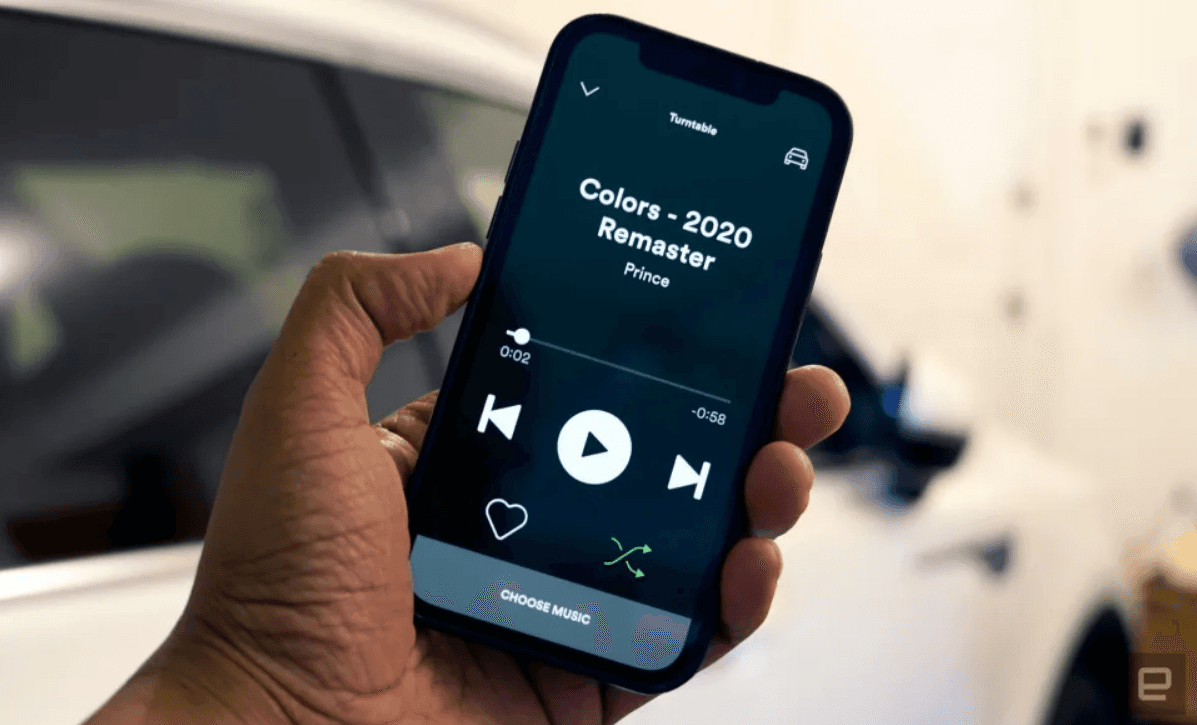
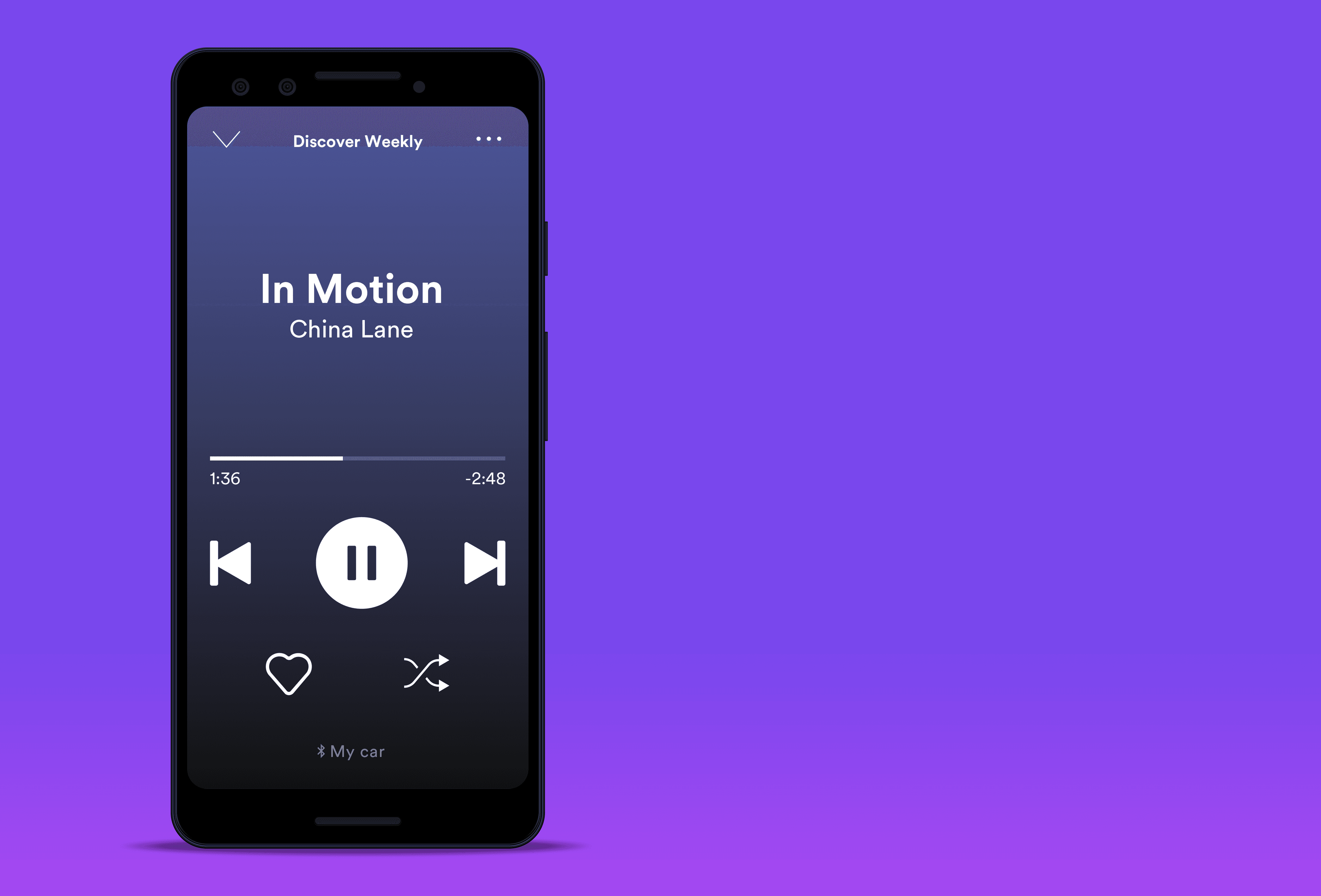
Their attempt to simplify the normal app UI (pictured below) for use while driving was logical, but to me, the design felt clunky, uninspiring, and difficult to use.
The muscle memory users had of where buttons are on the standard UI was rendered forfeit when the new layout was released, and the "choose music" feature made it so that people would have to read longer phrases on the screen anyway. I had more complaints, but they mostly boiled down to the fact that the feature still encouraged drivers to take their eyes off the road for longer than is safe.
Their attempt to simplify the normal app UI (pictured below) for use while driving was logical, but to me, the design felt clunky, uninspiring, and difficult to use.
The muscle memory users had of where buttons are on the standard UI was rendered forfeit when the new layout was released, and the "choose music" feature made it so that people would have to read longer phrases on the screen anyway. I had more complaints, but they mostly boiled down to the fact that the feature still encouraged dristvers to take their eyes off the road for longer than is safe.
Solution
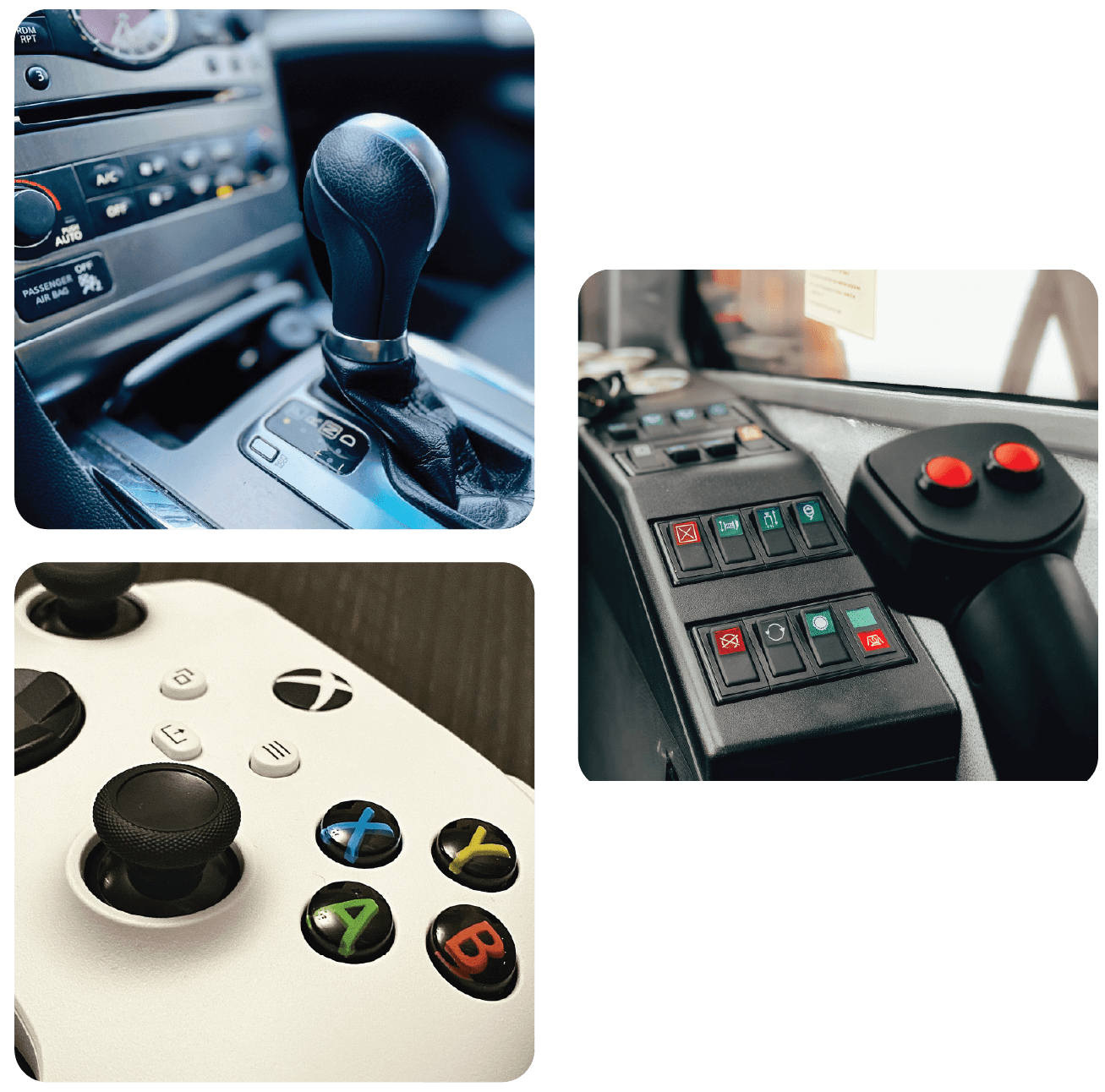
My original design took inspiration from the traditional tactile joystick, and I have tried to stay true to that in revisiting this project two years later.
My original design took inspiration from the traditional tactile joystick, and I have tried to stay true to that in revisiting this project two years later.
At first, it may not make sense, but it is important to consider the purpose of joysticks: to complete a function without having to look directly at controls.
At first, it may not make sense, but it is important to consider the purpose of joysticks: to complete a function without having to look directly at controls.
Whether it's on a game controller or a dashboard of an industrial lift, joysticks are intuitive, easy to use, and most importantly, based on gesture and tactile feedback instead of visual cues.
Whether it's on a game controller or a dashboard of an industrial lift, joysticks are intuitive, easy to use, and most importantly, based on gesture and tactile feedback instead of visual cues.
After completing this project, I moved on to other things. However, when building and updating my portfolio, I realized I could do better.
For my own purposes, persona I used was myself. I wanted to be able to control music that I put on before I started driving with functions to play, pause, skip, and adjust volume. Switching music while driving was too distracting to me, so I disregarded that aspect of the interface.
I wanted a simple, nondemanding interface that shows the song title, artist name, album cover, song time, and clock without a multitude of individual buttons. Volume indicators were unimportant as well, as this UI assumes the phone is connected to the car's speakers, so after volume is adjusted, it is easier to gauge by listening than looking at a slider.
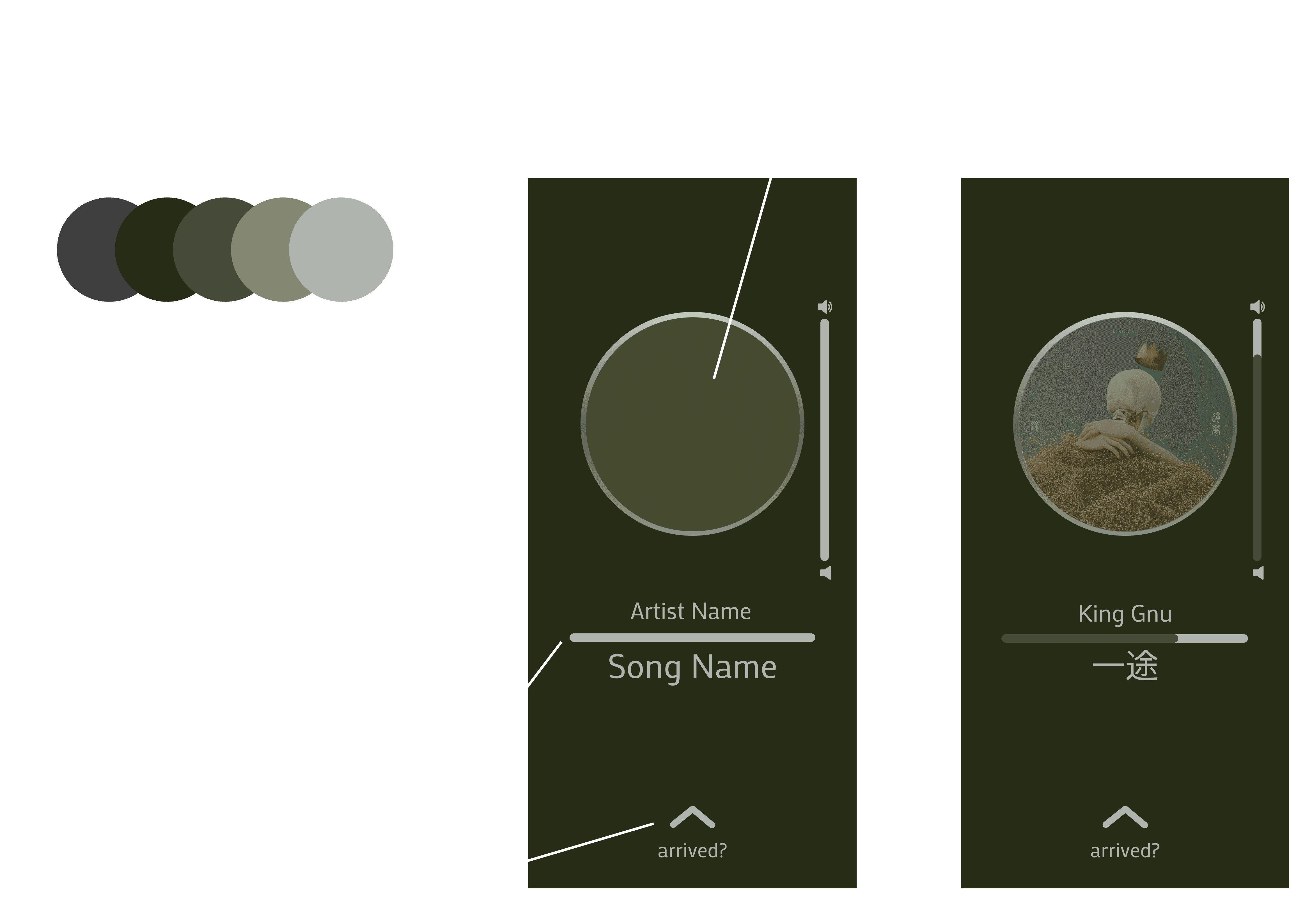
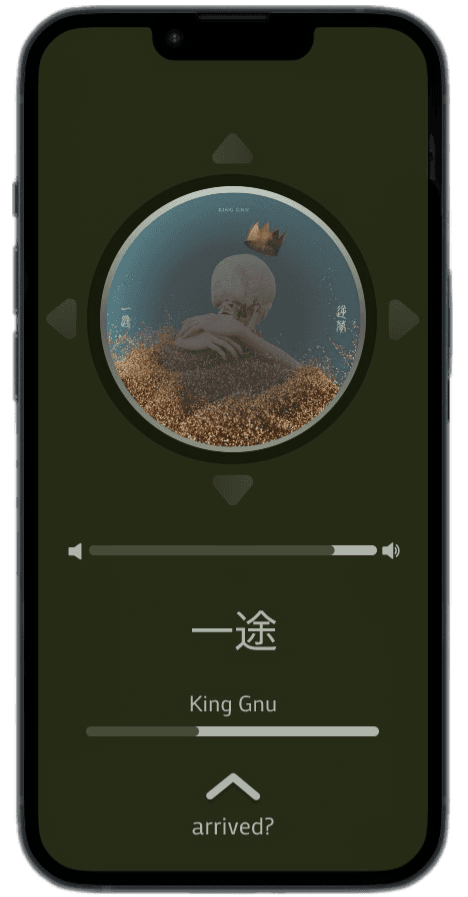
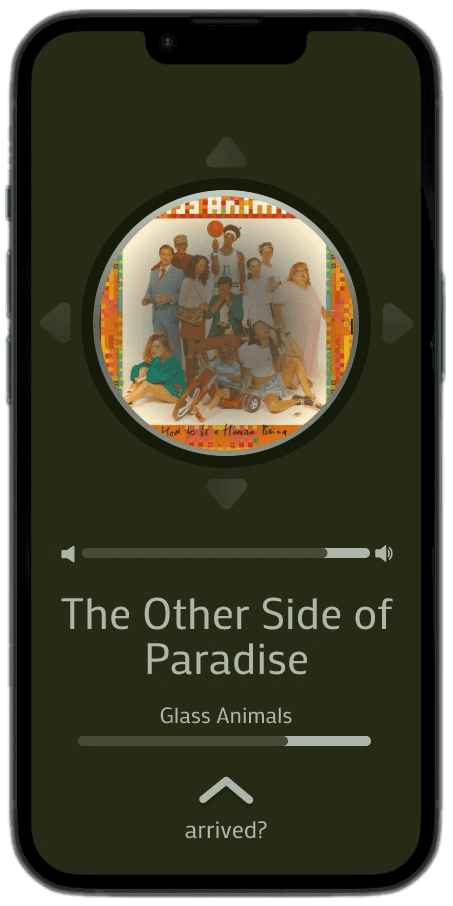
These desires did not align with my original design; the gradient, thin border, and shadow of the button feel out of place, the arrows around the central component don't match, and the sliders for volume and song progress are distracting and confusing to differentiate.
Revisiting the project
Revisiting the project
After completing this project, I moved on to other things. However, when building and updating my portfolio, I realized I could do better.
After completing this project, I moved on to other things. However, when building and updating my portfolio, I realized I could do better.
For my own purposes, persona I used was myself. I wanted to be able to control music that I put on before I started driving with functions to play, pause, skip, and adjust volume. Switching music while driving was too distracting to me, so I disregarded that aspect of the interface.
For my own purposes, persona I used was myself. I wanted to be able to control music that I put on before I started driving with functions to play, pause, skip, and adjust volume. Switching music while driving was too distracting to me, so I disregarded that aspect of the interface.
I wanted a simple, nondemanding interface that shows the song title, artist name, album cover, song time, and clock without a multitude of individual buttons. Volume indicators were unimportant as well, as this UI assumes the phone is connected to the car's speakers, so after volume is adjusted, it is easier to gauge by listening than looking at a slider.
I wanted a simple, nondemanding interface that shows the song title, artist name, album cover, song time, and clock without a multitude of individual buttons. Volume indicators were unimportant as well, as this UI assumes the phone is connected to the car's speakers, so after volume is adjusted, it is easier to gauge by listening than looking at a slider.
These desires did not align with my original design; the gradient, thin border, and shadow of the button feel out of place, the arrows around the central component don't match, and the sliders for volume and song progress are distracting and confusing to differentiate.
These desires did not align with my original design; the gradient, thin border, and shadow of the button feel out of place, the arrows around the central component don't match, and the sliders for volume and song progress are distracting and confusing to differentiate.
Revisiting the project
After completing this project, I moved on to other things. However, when building and updating my portfolio, I realized I could do better.
For my own purposes, persona I used was myself. I wanted to be able to control music that I put on before I started driving with functions to play, pause, skip, and adjust volume. Switching music while driving was too distracting to me, so I disregarded that aspect of the interface.
I wanted a simple, nondemanding interface that shows the song title, artist name, album cover, song time, and clock without a multitude of individual buttons. Volume indicators were unimportant as well, as this UI assumes the phone is connected to the car's speakers, so after volume is adjusted, it is easier to gauge by listening than looking at a slider.
These desires did not align with my original design; the gradient, thin border, and shadow of the button feel out of place, the arrows around the central component don't match, and the sliders for volume and song progress are distracting and confusing to differentiate.
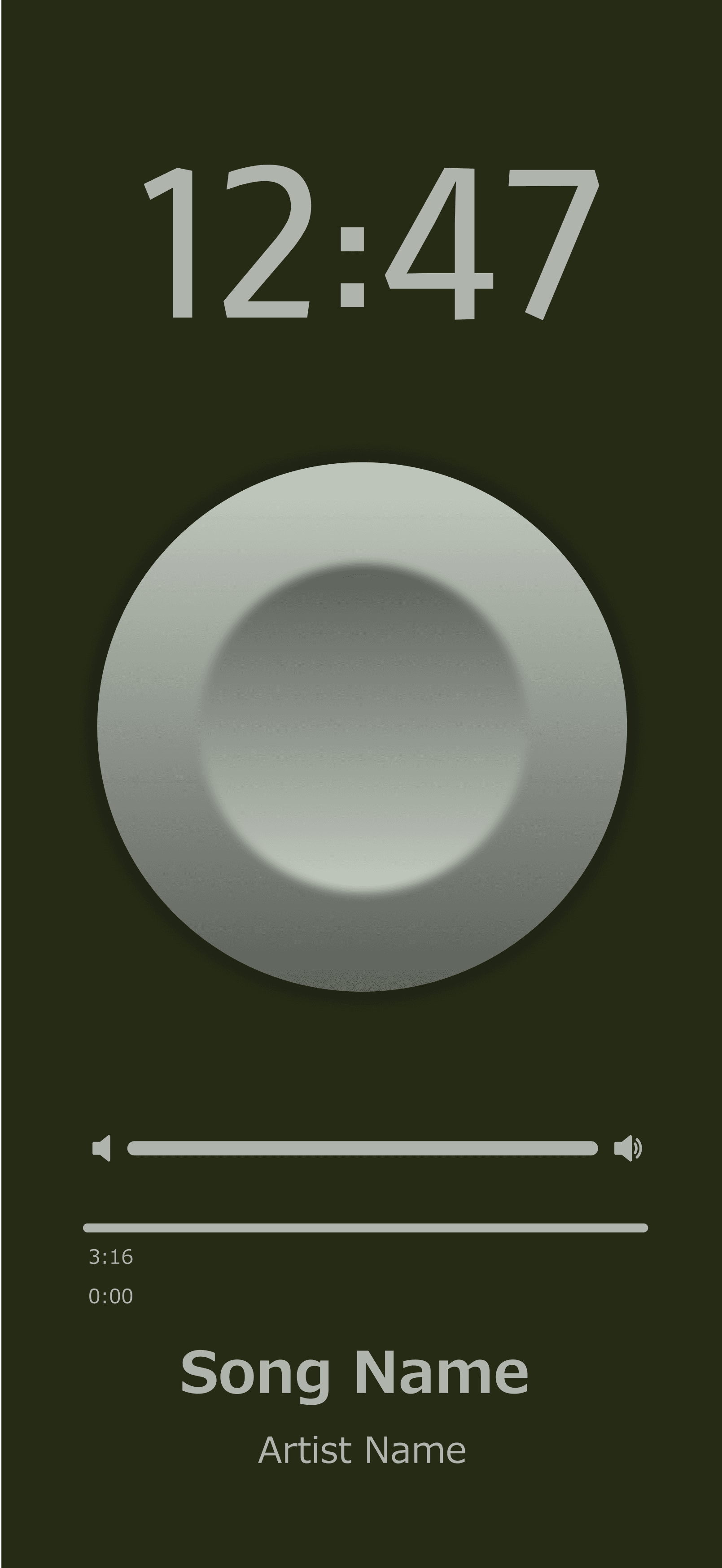
Simplified content, minimizing clutter, and making better use of negative space were the new priorities.
Traditional Joystick,
Song Details
Simple Button,
Bottom UI
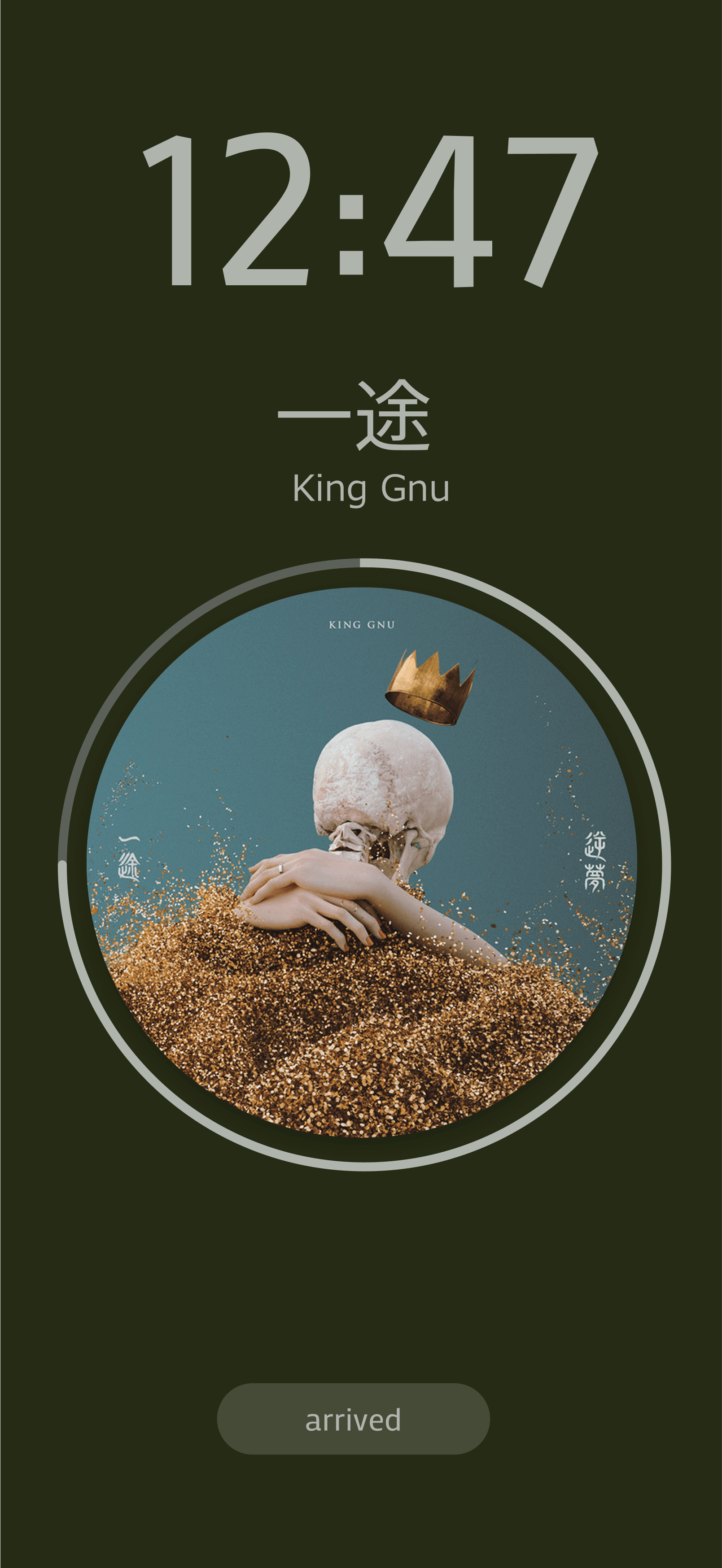
Radial Playback Visualizer
Notes
Fully committed to joystick design, but seems out of place.
Song details to far from main focus area, encourages users to look away from road too long.
Notes
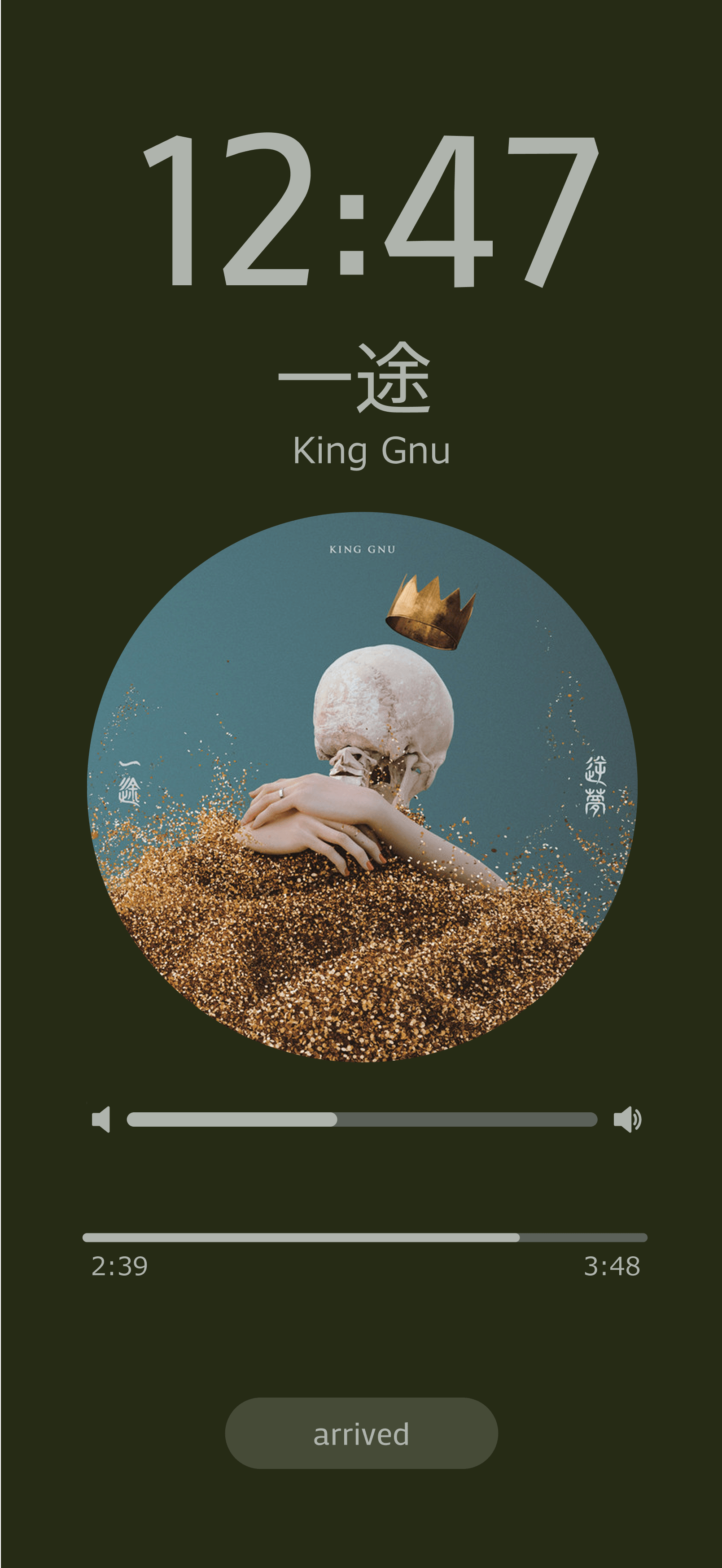
Simplified joystick button to enable album cover display, added "arrived" button to exit driving mode.
Still too much visual clutter between playback and volume sliders.
Notes
Playback visualized as ring, minimizing focus area.
Removed volume bar to guide users towards car stereo volume control—generally safer.
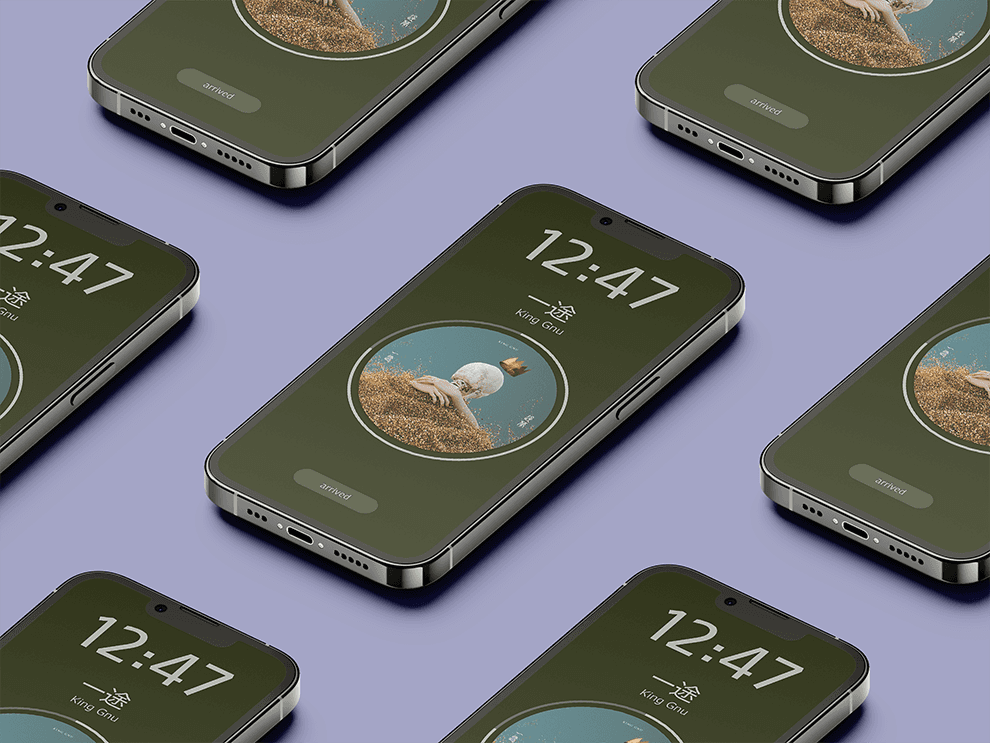
Final Product: One Button Car Mode UI
Final Product: One Button Car Mode UI
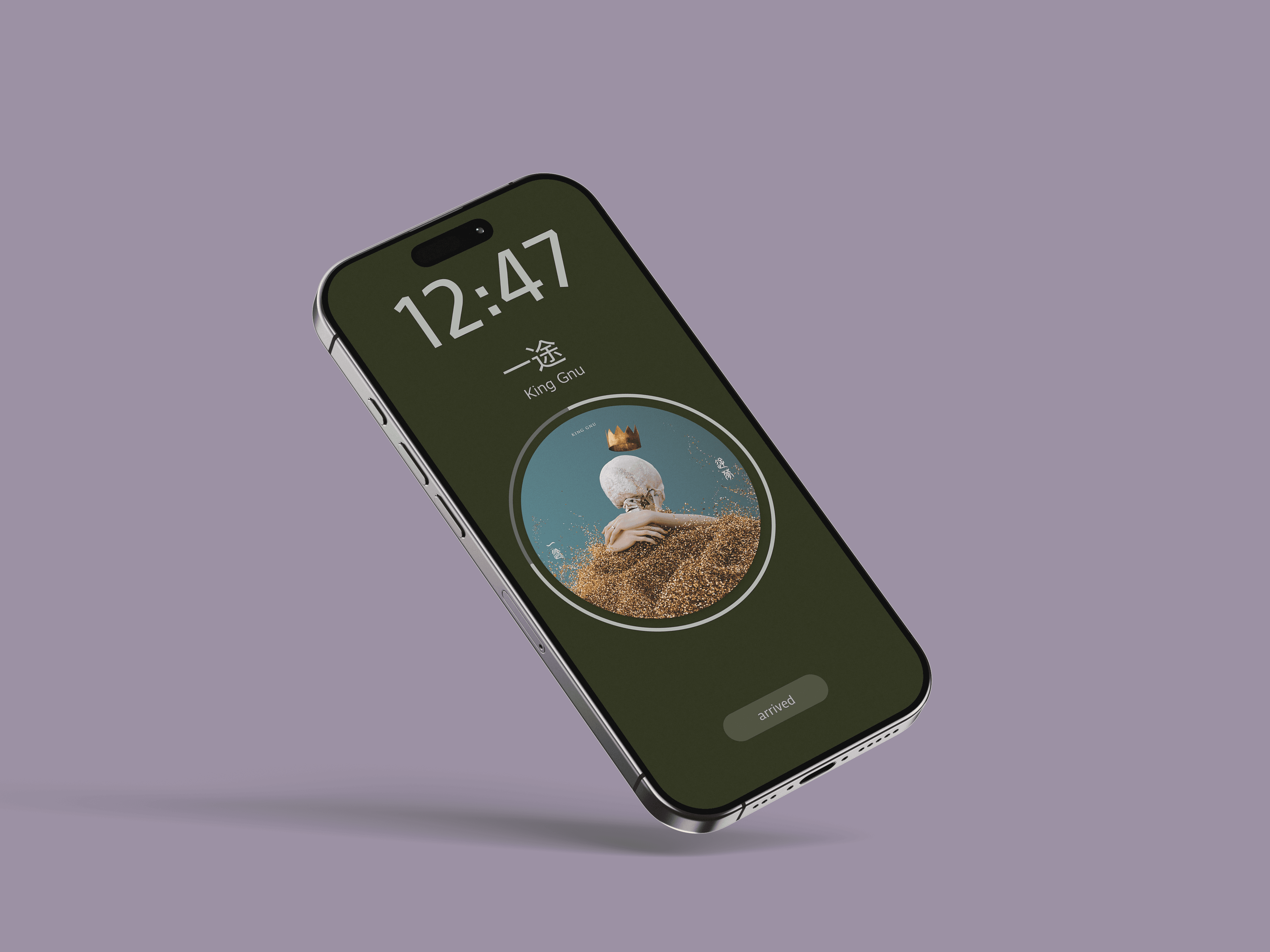
Mockup, video demo.
Mockup, video demo.








Simplified content, minimizing clutter, and making better use of negative space were the new priorities.
Simplified content, minimizing clutter, and making better use of negative space were the new priorities.
Notes
Fully committed to joystick design, but seems out of place.
Song details to far from main focus area, encourages users to look away from road too long.
Notes
Fully committed to joystick design, but seems out of place.
Song details to far from main focus area, encourages users to look away from road too long.
Notes
Simplified joystick button to enable album cover display, added "arrived" button to exit driving mode.
Still too much visual clutter between playback and volume sliders.
Notes
Simplified joystick button to enable album cover display, added "arrived" button to exit driving mode.
Still too much visual clutter between playback and volume sliders.
Notes
Playback visualized as ring, minimizing focus area.
Removed volume bar to guide users towards car stereo volume control—generally safer.
Notes
Playback visualized as ring, minimizing focus area.
Removed volume bar to guide users towards car stereo volume control—generally safer.